
What’s new
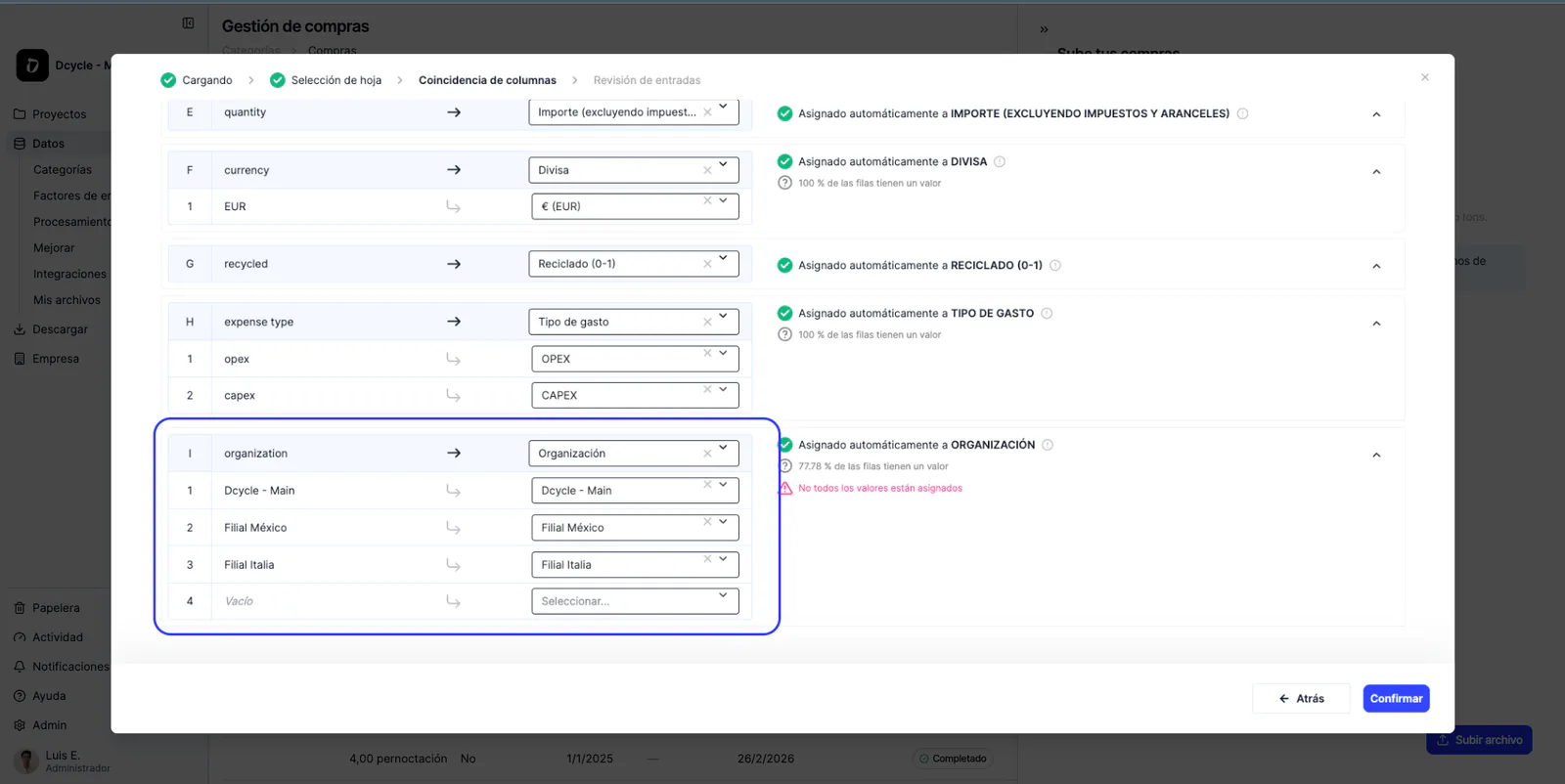
Holding organizations can now upload purchase data for multiple subsidiaries in a single CSV file. The bulk purchases importer now includes a new “Organization” dropdown column, letting you assign each row directly to the right child organization.
Previously, uploading purchases for multiple subsidiaries required running a separate import for each one. Now, a single upload automatically routes every row to the correct organization’s data space.
How it works
When uploading a bulk purchases file, the importer displays a new dropdown column called “Organization”. This column lets you select, row by row, which subsidiary each purchase belongs to:
- Available options include the holding organization and all its accepted subsidiaries.
- If a row has no organization assigned, the system automatically assigns it to the uploading organization.
- An informational annotation is shown whenever automatic assignment is applied. The file is processed in a distributed way: each row reaches the correct data space without needing to split the CSV or run multiple uploads.
Why it matters
For enterprise groups with multiple subsidiaries, managing purchase data has until now been a manual and repetitive process. This new capability eliminates that friction and allows centralized data uploads from the holding organization, while keeping each subsidiary’s data correctly organized and accessible.
This is especially relevant for teams managing large volumes of purchase data and needing to maintain traceability by subsidiary for carbon footprint calculations and sustainability reporting.
Compatibility with existing workflows
This feature follows the same pattern already available for bulk vehicle consumption uploads, extending multi-organization capabilities to purchase data. Users familiar with vehicle uploads will find the flow identical.
The organization column only appears when the uploading organization has linked subsidiaries. For organizations without subsidiaries, the upload flow remains unchanged.