

01Original document
The document, next to the data it produces
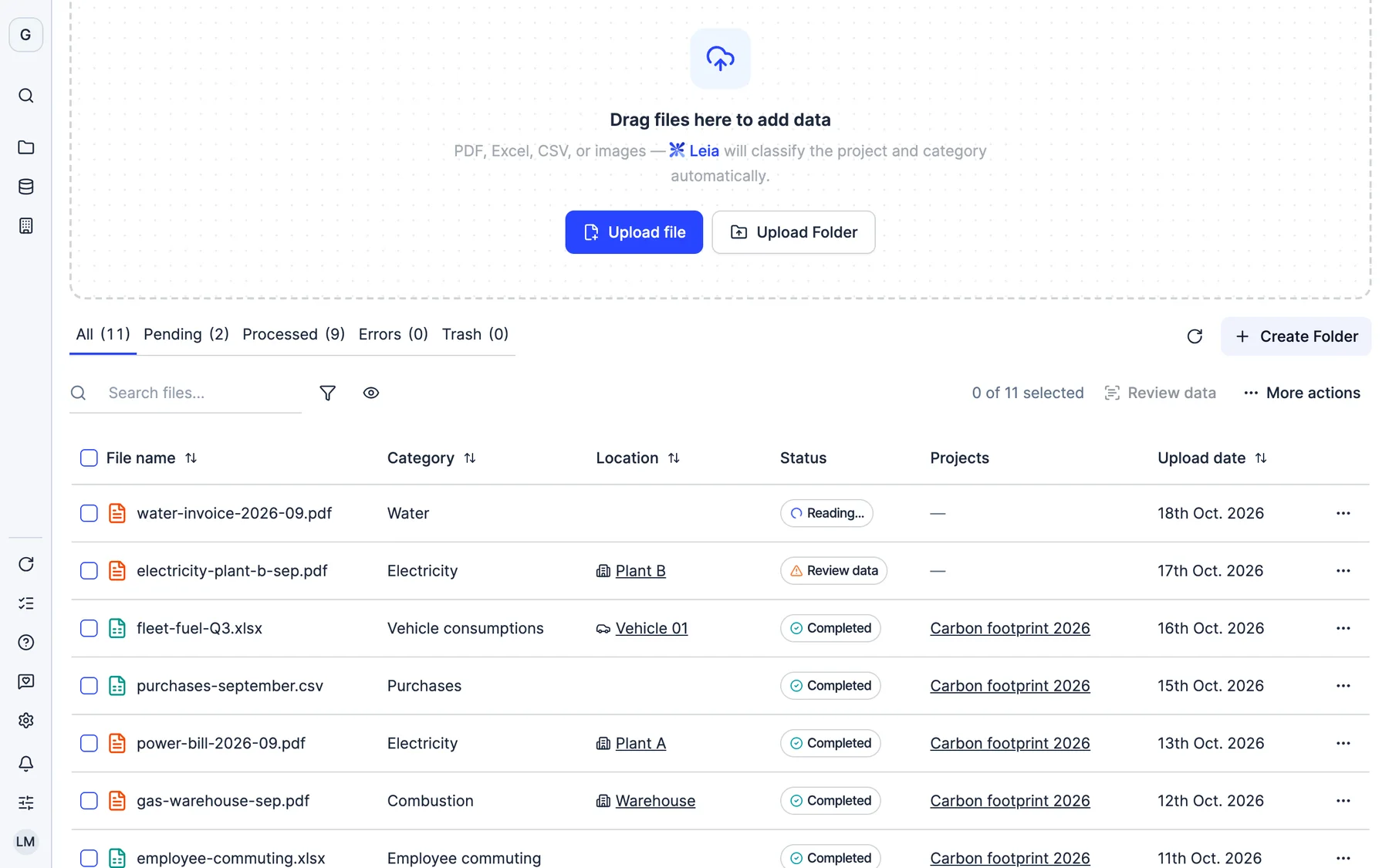
Every file in My files is stored with who uploaded it, when and which facility and project it is linked to. Open an invoice and you have its data, its file and its history.
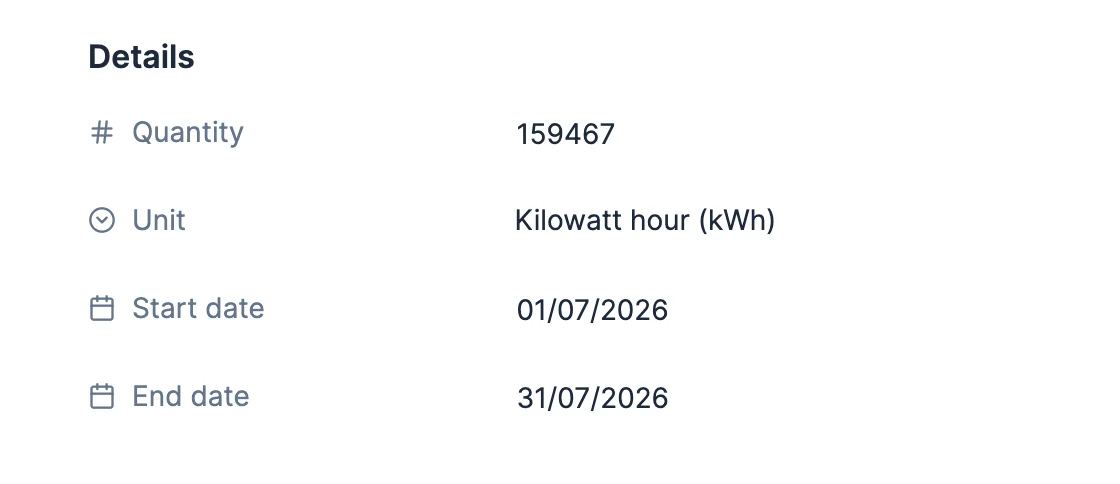
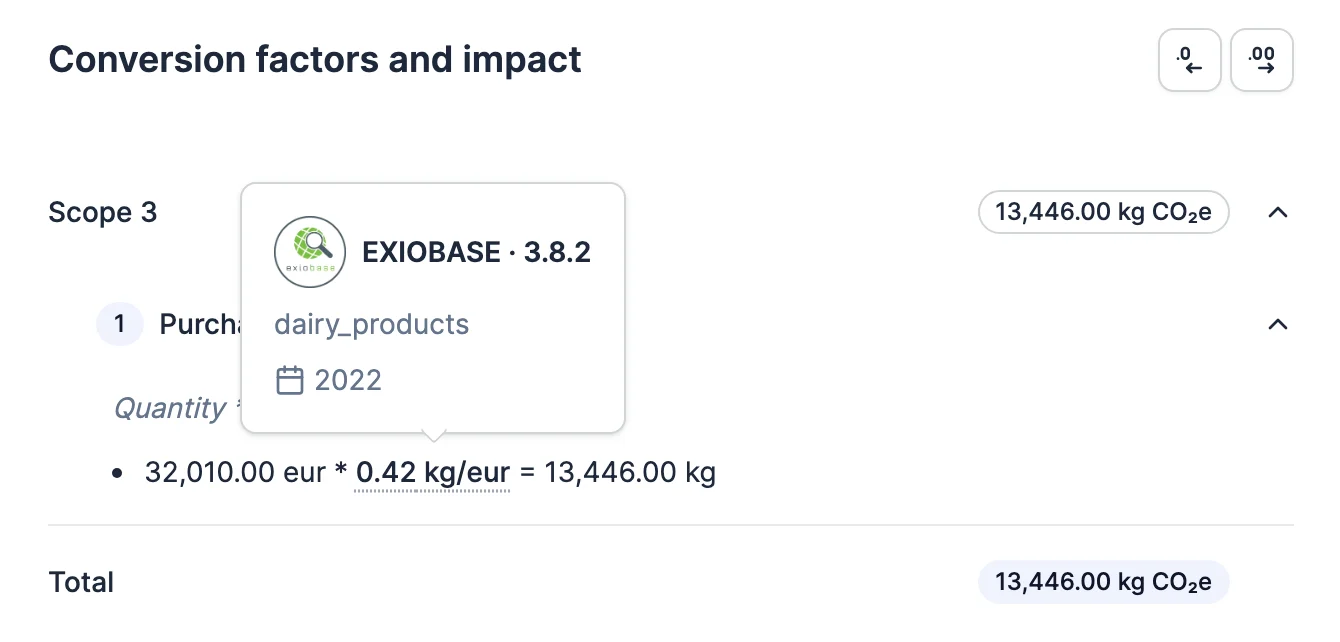
Every data point in Dcycle knows where it comes from: the original document, the emission factor and its source, who uploaded it and when. And before the verifier arrives, the pre-audit has already reviewed your data.
More than 2,000 European companies trust Dcycle






Any number in a report can be traced back: the data that feeds it, the calculation with its factor and source, and the original document with who uploaded it.
Who made each change, which document each data point comes from, which factor was used and why anything missing is missing. No separate audit-trail spreadsheet.
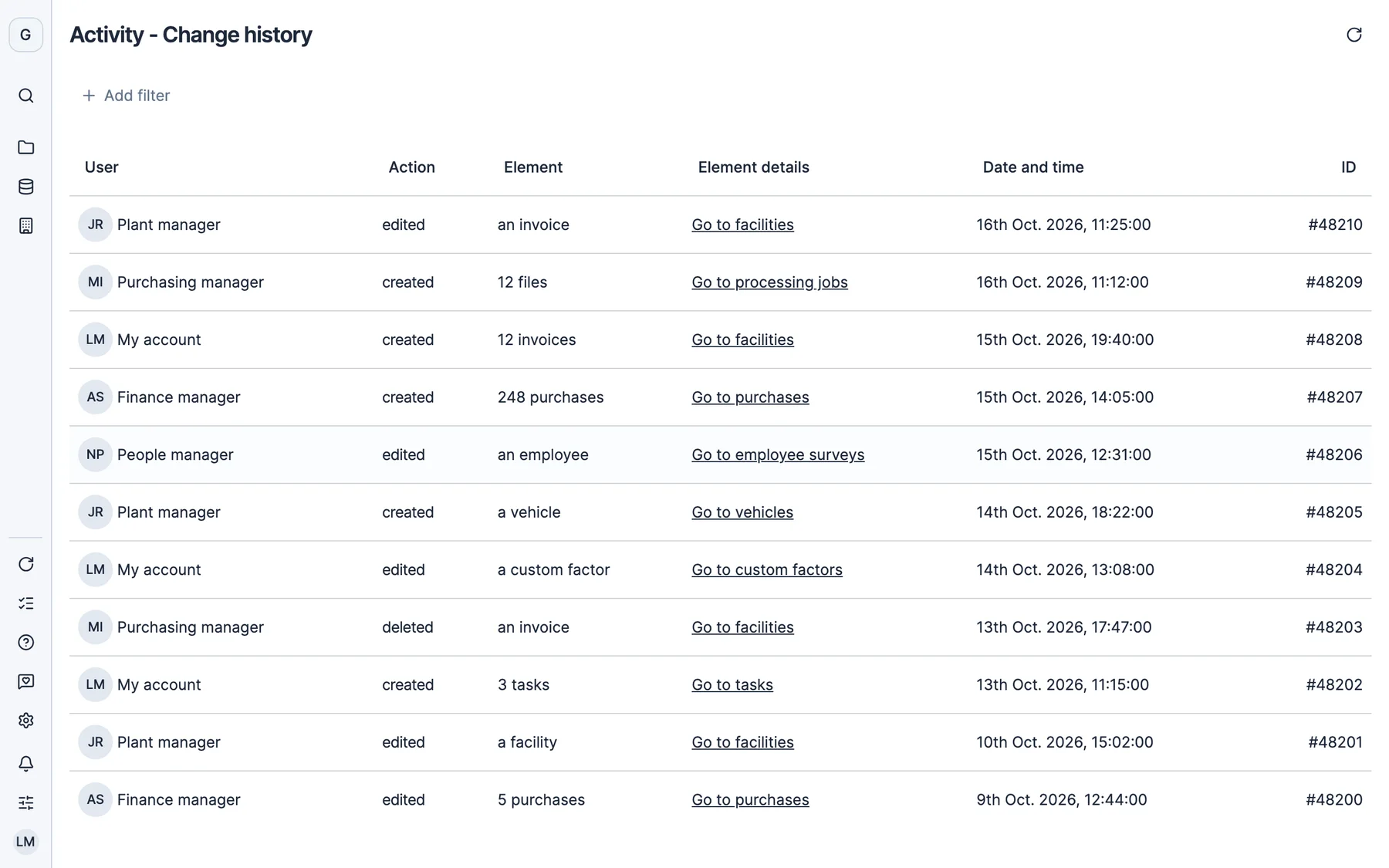
Every action your team takes is logged, with a direct link to the section where it happened.
Invoices, spreadsheets and certificates are stored with who uploaded them and when.
Leave a note on the invoice, mention whoever uploaded it and attach the right document.
See which database is behind each calculation and choose the factor you want to use.
Mark a data point as “Not available”, explain why and the justification goes straight into the GHG report.
Pick a period and receive the emission factors used by email, ready for the verifier.
At the click of a button, Dcycle reviews the organization and its subsidiaries for the period you choose and gives you a data health score, with what needs fixing and how.
Every file in My files is stored with who uploaded it, when and which facility and project it is linked to. Open an invoice and you have its data, its file and its history.
Every processed file is logged with its category, its progress, who ran it and when. If an upload has errors, you can see them and review them.
In EINF projects (Spain’s non-financial information statement, Law 11/2018), each data point expands to show its GRI code and criterion, with a link to the exact page of the official PDF. The report includes the GRI traceability annex.

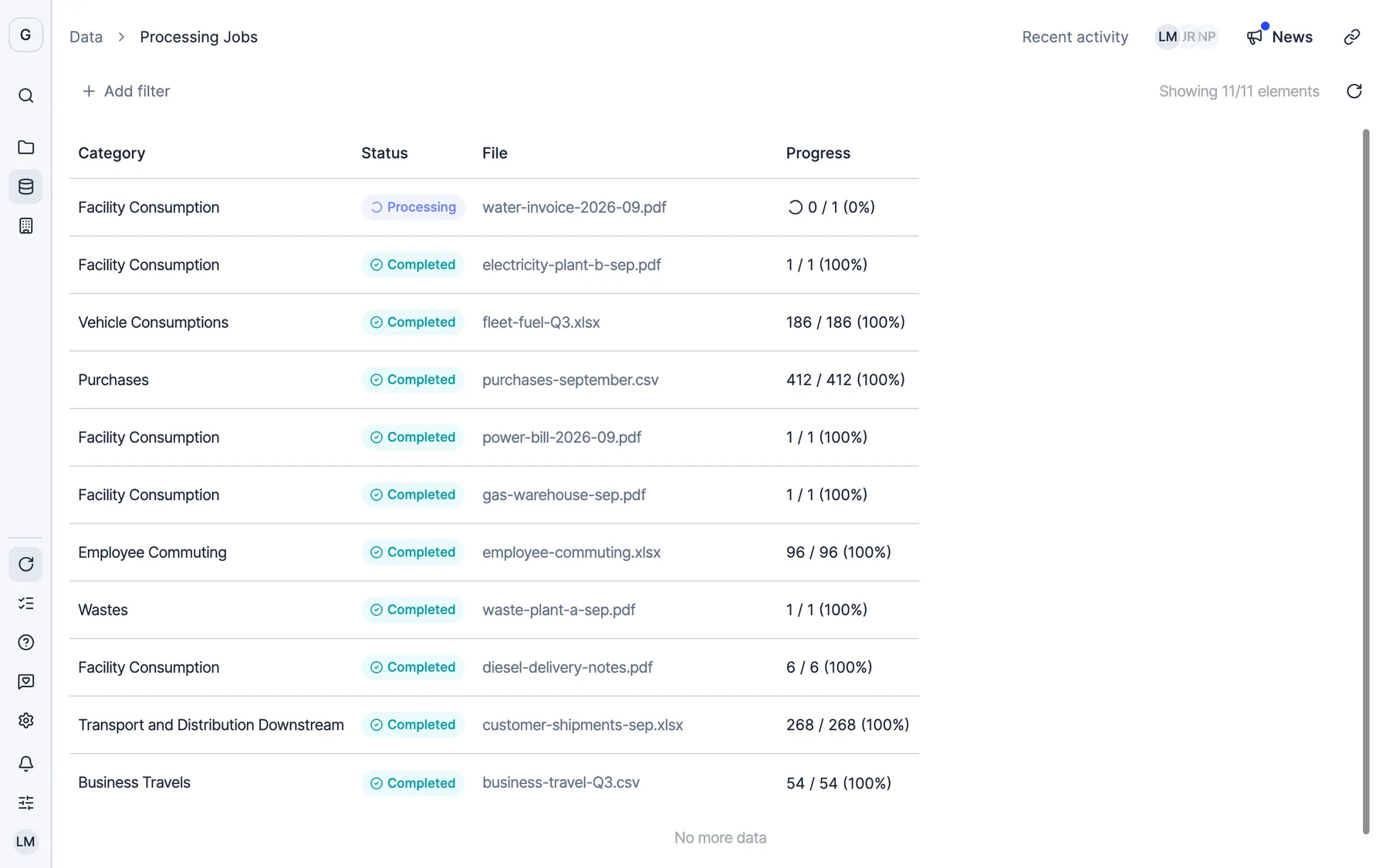
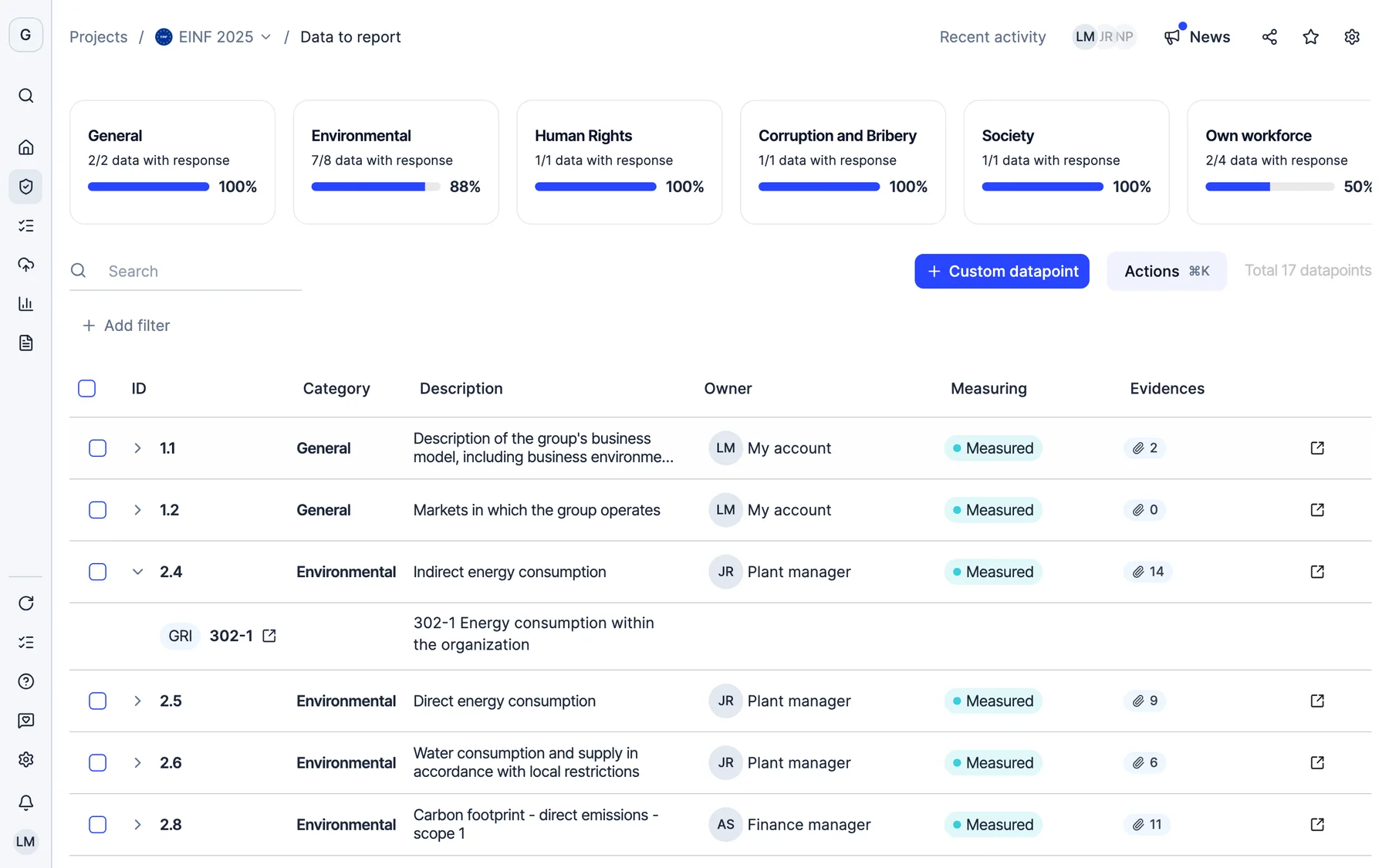
Real Dcycle screens with a sample company.

Finsolutia unifies how it measures its carbon footprint across Spain and Portugal
Read the story“Dcycle has given us the structure and the method we needed to manage our footprint consistently across two countries. Now we have comparable data and can report with confidence.”
Head of Sustainability, Spain
Every data point in Dcycle is linked to the file it comes from: the invoice, the spreadsheet or the certificate. From the data point you open the original document and see who uploaded it and when, and from the calculation you see the emission factor applied and its source.
Yes. The Activity page logs every action by the users in your organization: who did it, when and in which section, with a direct link to go there.
Dcycle works with several emission factor databases, such as MITECO, GHG Protocol, DEFRA, EPA, IEA, AIB, REE and Ecoinvent. In each calculation you see which database was used and you can choose the factor. You can also download all the factors used in a period as an Excel file.
It is an automatic review of the data of the organization and its subsidiaries for the period you choose: status, sync, data quality, gaps and comparison with the previous year. It returns a health score and, for each finding, what to do. Previous runs are saved.
You can mark it as “Not available” and explain why. That justification is saved and appears in the GHG report, in a table at the end of the document.
The verifier gets data already reviewed by the pre-audit, with each figure linked to its document and its factor. The GHG report can include an annex with the value of each emission factor, and the Help Center has a guide for verifiers on where to find and validate each data point.
Thirty minutes with our team. We show you how your data would come in, and what you would get out.
See Dcycle in actionWhat your session looks like



 With someone from the team who then supports you