Integrations with your ERP.your folders.your CRM.your AI.the tools you already use.
SAP, Sage, NetSuite, Datadis or your cloud folders: data comes in by itself, with its source in plain sight. For everything else, the API, webhooks and the MCP server.
More than 2,000 European companies connect their data to Dcycle
Catalogue
What you already use, connected. And what you don’t, via API.
Each connection brings its data into the right category, with scheduled syncs. No exporting or copying anything by hand.
ERP and finance
SAP, Sage, NetSuite and Microsoft Dynamics
BringsPurchases, spend and suppliersLands inPurchases and CapEx
Cloud folders
Google Drive, SharePoint, OneDrive, Dropbox and Box
BringsThe invoices and documents you already storeLands inMy files, for Leia to read
EnergySpain only
Datadis
BringsElectricity consumption for each supply point (CUPS), every monthLands inFacilities · Electricity
Human resources
Factorial and Dynamics 365 Human Resources
BringsYour workforce and their sitesLands inWorkforce
CRM
Salesforce, HubSpot and Attio
BringsThe business records that feed your metricsLands inTheir activities in Dcycle
For your IT team
REST API, webhooks, CLI and MCP server
BringsAny in-house system, and your AI agentsLands inAny category
Using another tool? With the API or the MCP server, any system can talk to Dcycle. See the documentation
Inside Dcycle
This is how it connects. The real app, with sample data.
01Datadis
Your electricity consumption, without invoices.
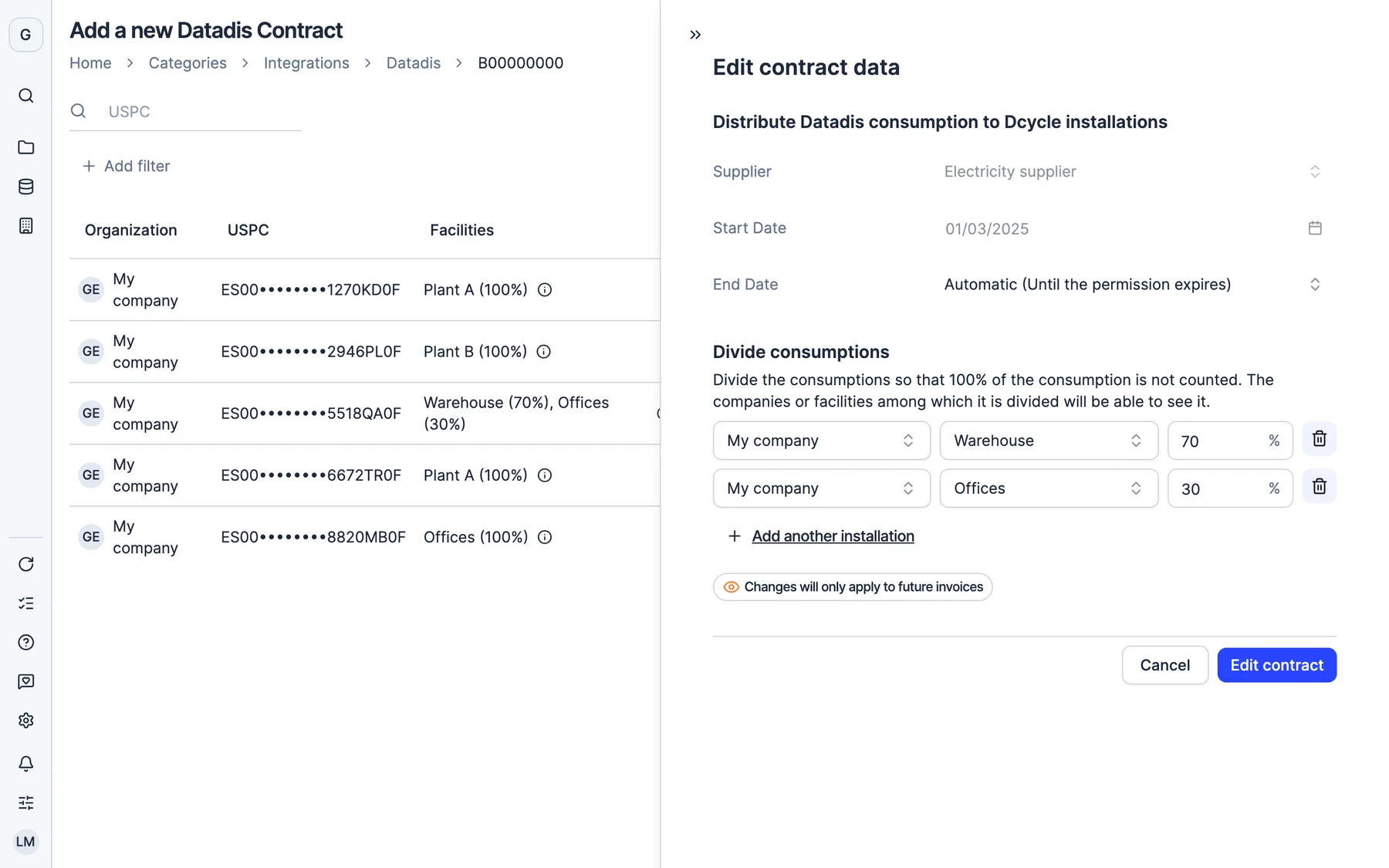
You authorise Dcycle to access your supply points (CUPS) in Datadis and add your company’s tax ID. From then on, consumption for each supply point comes in by itself on the 8th of every month.
02Contracts by CUPS
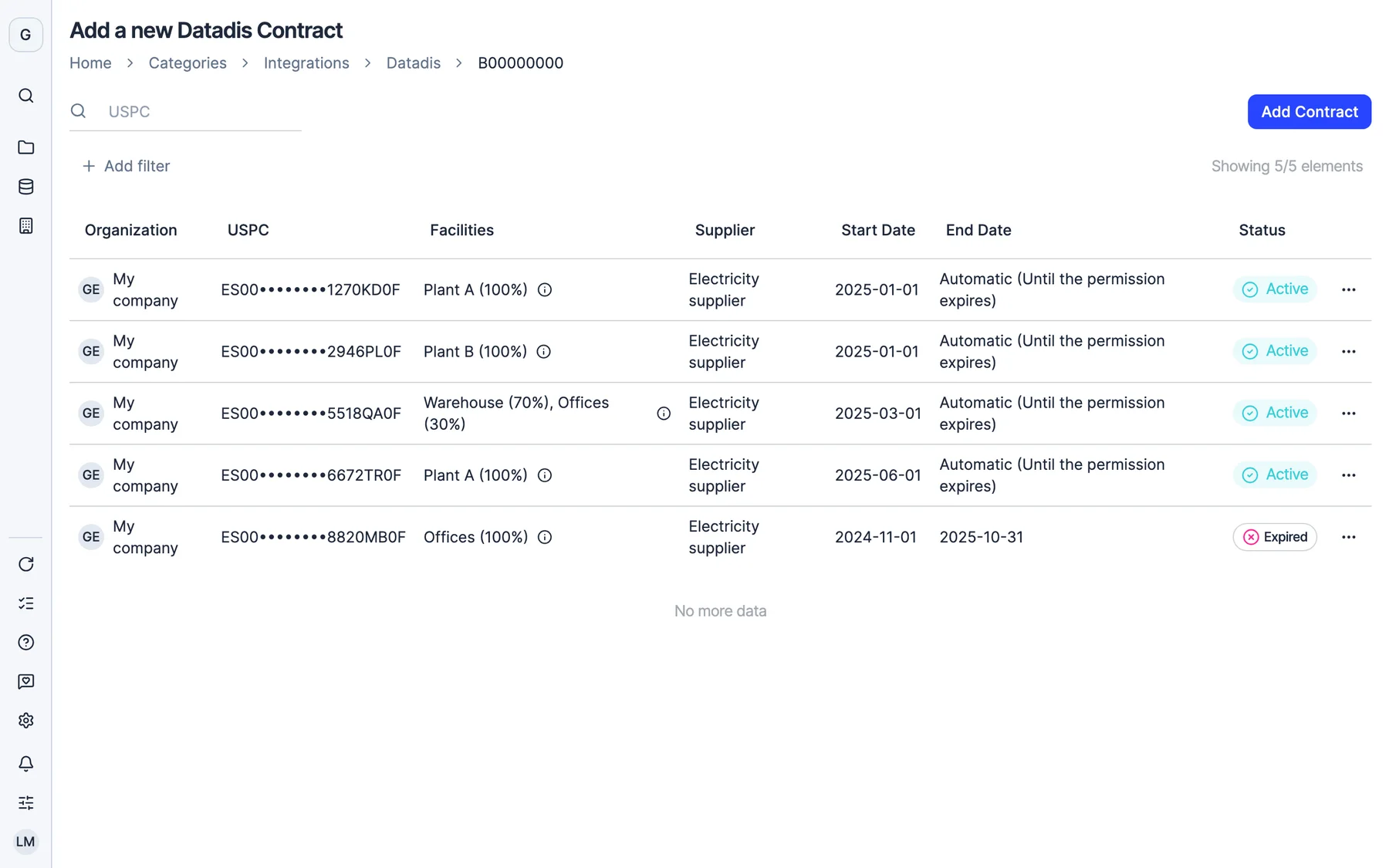
One meter, several plants.
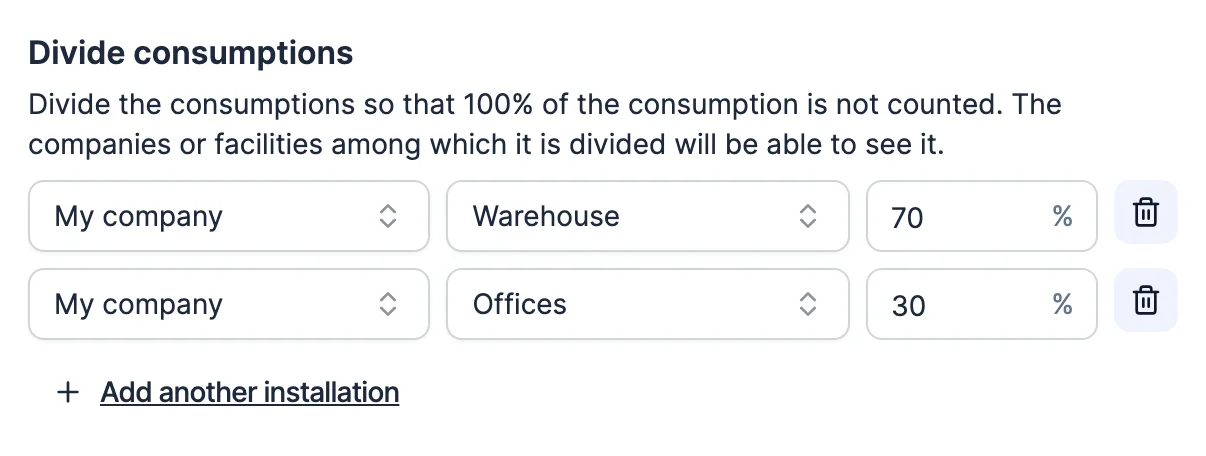
Each supply point goes to its facility. And if one serves two, you split its consumption by percentage so it isn’t counted twice.
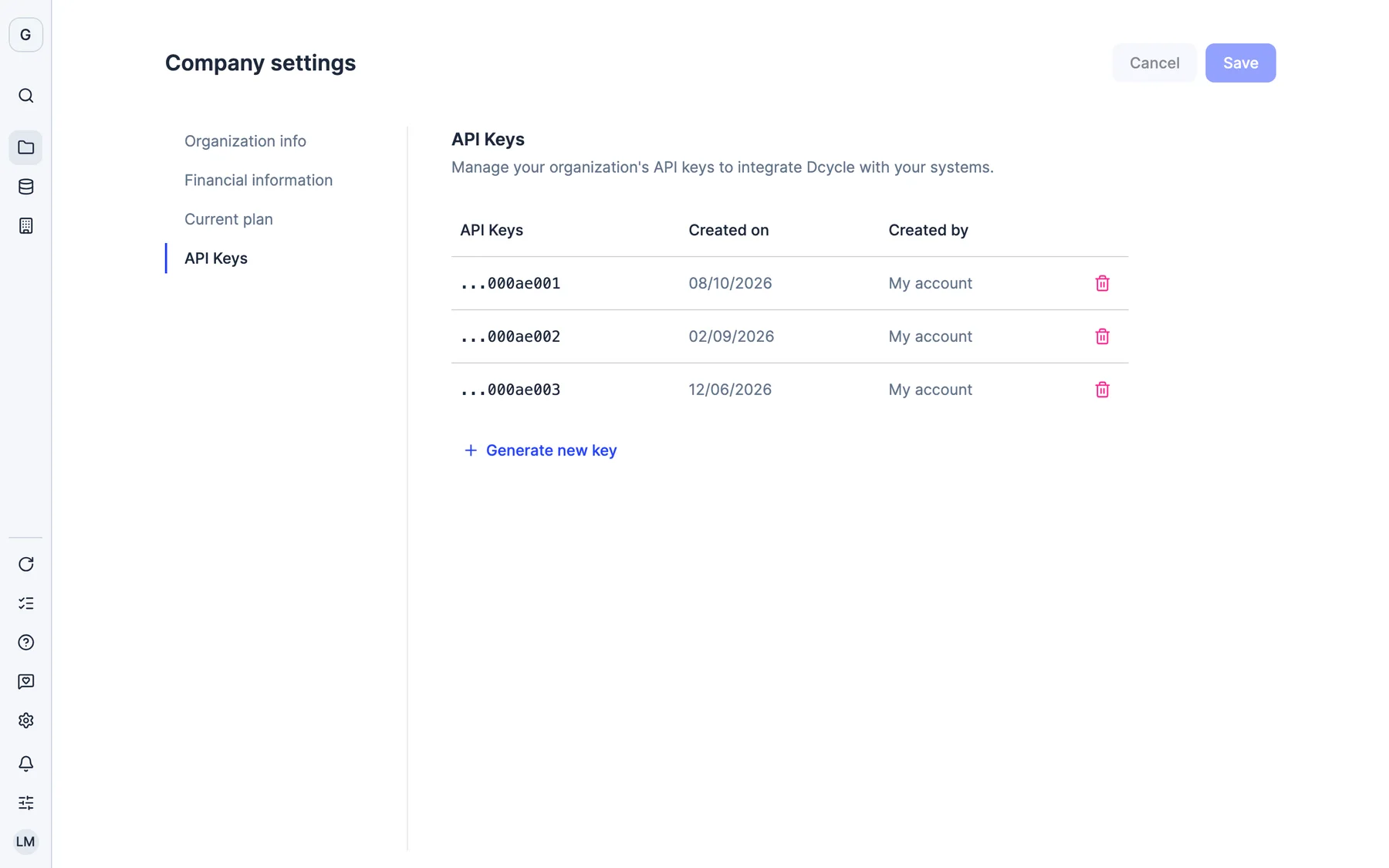
03API
Every key, with its owner.
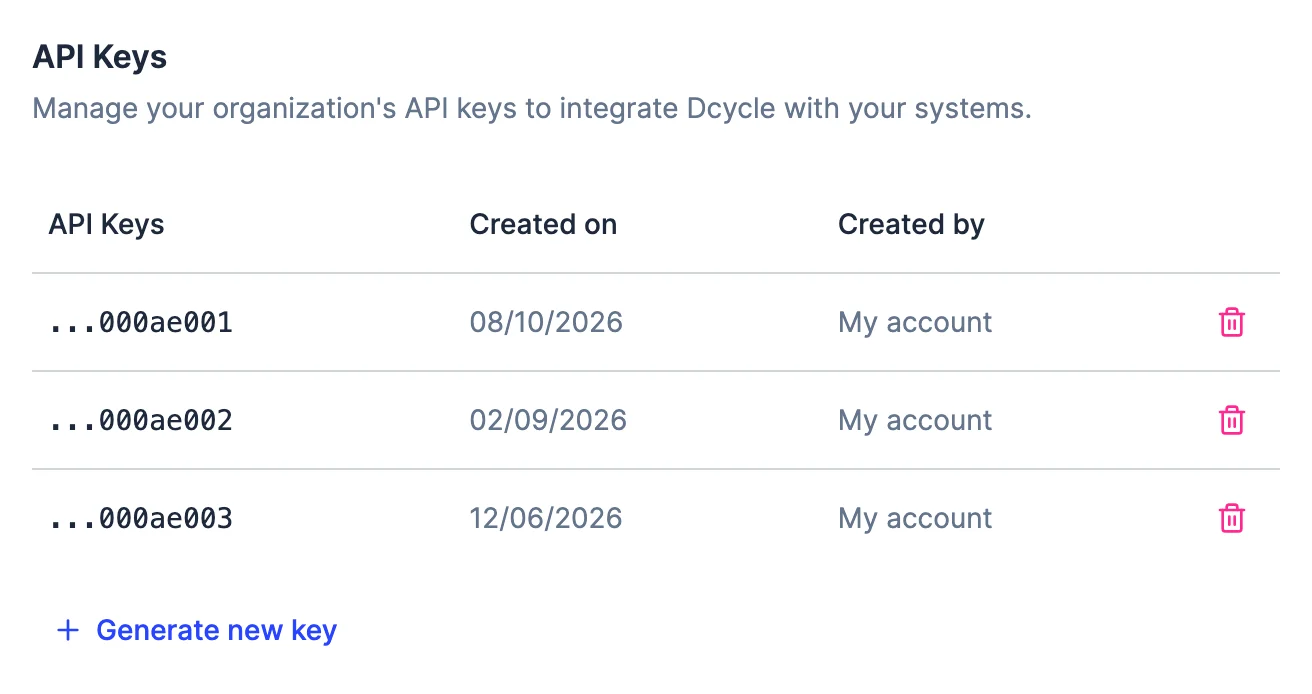
Each API key is assigned to whoever creates it and can be revoked instantly. You can have several at once to rotate them without interrupting anything.
You
You
IT
Real Dcycle screens with sample data.
MCP server
Ask your AI. It answers with your data.
Connect your AI assistant to the Dcycle MCP server and query or update your data without leaving the conversation.
Your AI assistantDcycle MCP connected
Which plant has invoices waiting for review?
list_facilitiesReadsget_facilityReads
Plant B has 3 invoices under review and is missing its September water data.
Once they’re fixed, recalculate the electricity invoices.
list_invoicesReadsrecalculate_invoicesWrites
Done: 3 electricity invoices recalculated at Plant B.
Ask anything…↑
Nothing to install
claude mcp add --transport http dcycle https://mcp.dcycle.io/mcp
Remotely, with your Dcycle account (OAuth 2.0). Or locally, with an API key.
Works with Claude, ChatGPT, GitHub Copilot, Gemini CLI, Cursor or Windsurf.
For your IT team
Your system talks to Dcycle. Like any other service.
REST APIAt api.dcycle.io, with an OpenAPI document to generate your client and safe retries with Idempotency-Key.
Webhooks (beta)Endpoints with logged deliveries, retries and secret rotation.
ImportsUpload a file, it is validated, you fix it and submit it, all via API. With dry_run, you test without writing.
CLIThe dcy command, for scripts and CI/CD pipelines, including across several organizations.
With ERP and finance software such as SAP, Sage, NetSuite or Microsoft Dynamics; cloud folders such as Google Drive, SharePoint, OneDrive, Dropbox or Box; HR software such as Factorial or Dynamics 365 Human Resources; CRMs such as Salesforce, HubSpot or Attio; and Datadis for electricity consumption in Spain. For everything else there is a REST API, webhooks, a CLI and an MCP server.
How often is data synced?
Connectors work with scheduled syncs: once the source is connected, Dcycle keeps bringing in new records and assigns them to their activity and emission factor. Datadis imports electricity consumption on the 8th of every month.
How do I connect Datadis?
You create your account in Datadis, Spain’s electricity data platform, authorise Dcycle to access your supply points (CUPS) and add your company’s tax ID in Dcycle. Then you assign each supply point to its facility, or split its consumption across several by percentage. Datadis lets you read data from the last two years and is only available for electricity consumption in Spain.
What is the Dcycle MCP server?
It is the way to connect your AI assistant (Claude, ChatGPT, GitHub Copilot, Gemini CLI, Cursor or Windsurf) to your Dcycle data. It works remotely at mcp.dcycle.io with your account (OAuth 2.0) or locally with an API key, with tools to query and update facilities, invoices, vehicles, purchases, logistics, emissions and more.
How does the API work?
The REST API is at api.dcycle.io and authenticates with an API key and your organization ID. There is an OpenAPI document to generate clients, webhooks in beta, imports with validation and safe retries with Idempotency-Key. All the documentation is at code.dcycle.io.
Is my data safe when I integrate it?
Yes. Data is stored and processed in the European Union (AWS, Ireland), travels encrypted with TLS 1.2 or higher and is stored encrypted with AES-256. Each API key is assigned to whoever creates it and can be revoked instantly. Dcycle acts as data processor under the GDPR.
What if my tool isn’t in the catalogue?
You can connect it with the API or the MCP server, or send its data by email, in a bulk Excel upload or by dragging in the files. Tell us what you use in the demo and we’ll tell you the best route.
30-minute demo
See it with your own data.
Thirty minutes with our team. We show you how your data would come in, and what you would get out.