

01Facility inbox
Every plant, its own inbox.
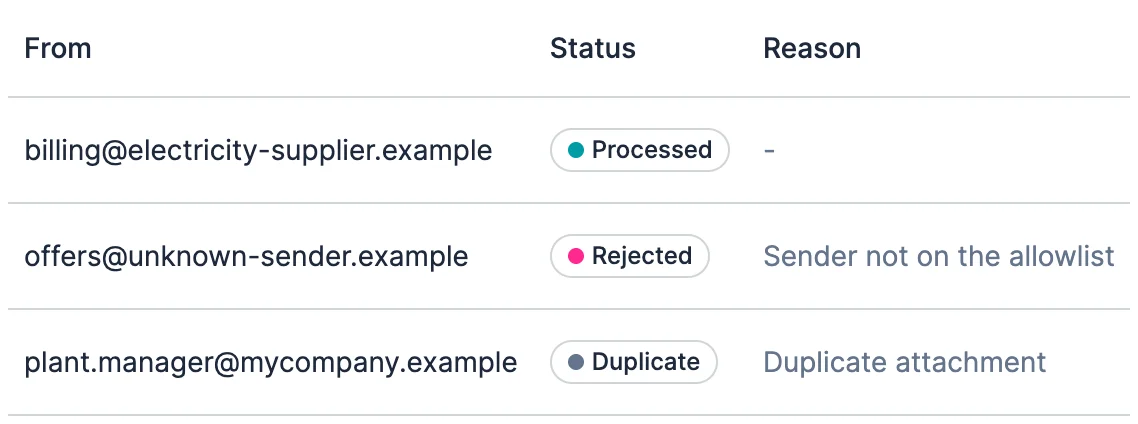
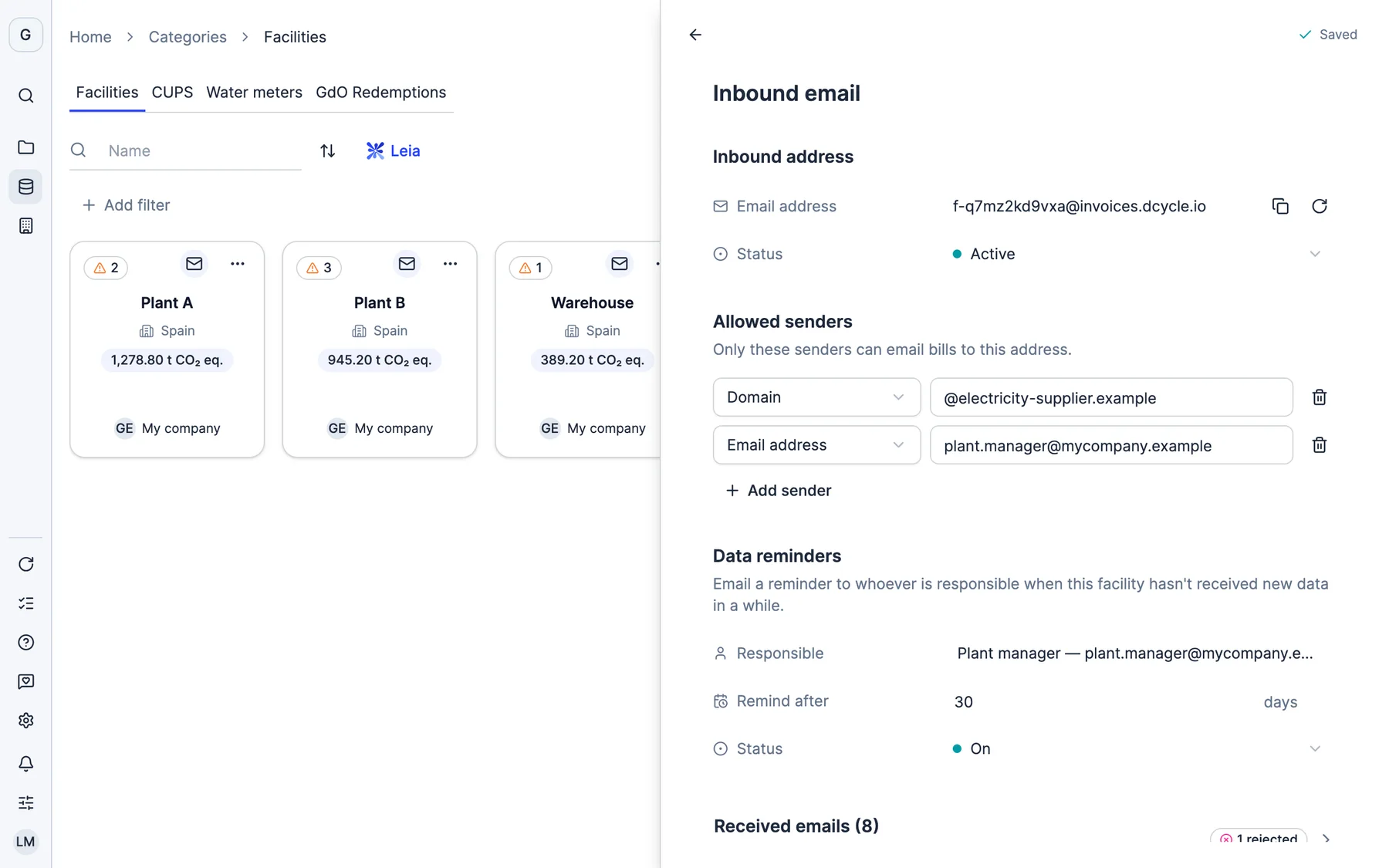
Forward the invoice to the facility’s address or let your energy supplier send it directly. Only senders you allow get in, and you see every email that arrived and what happened to it.
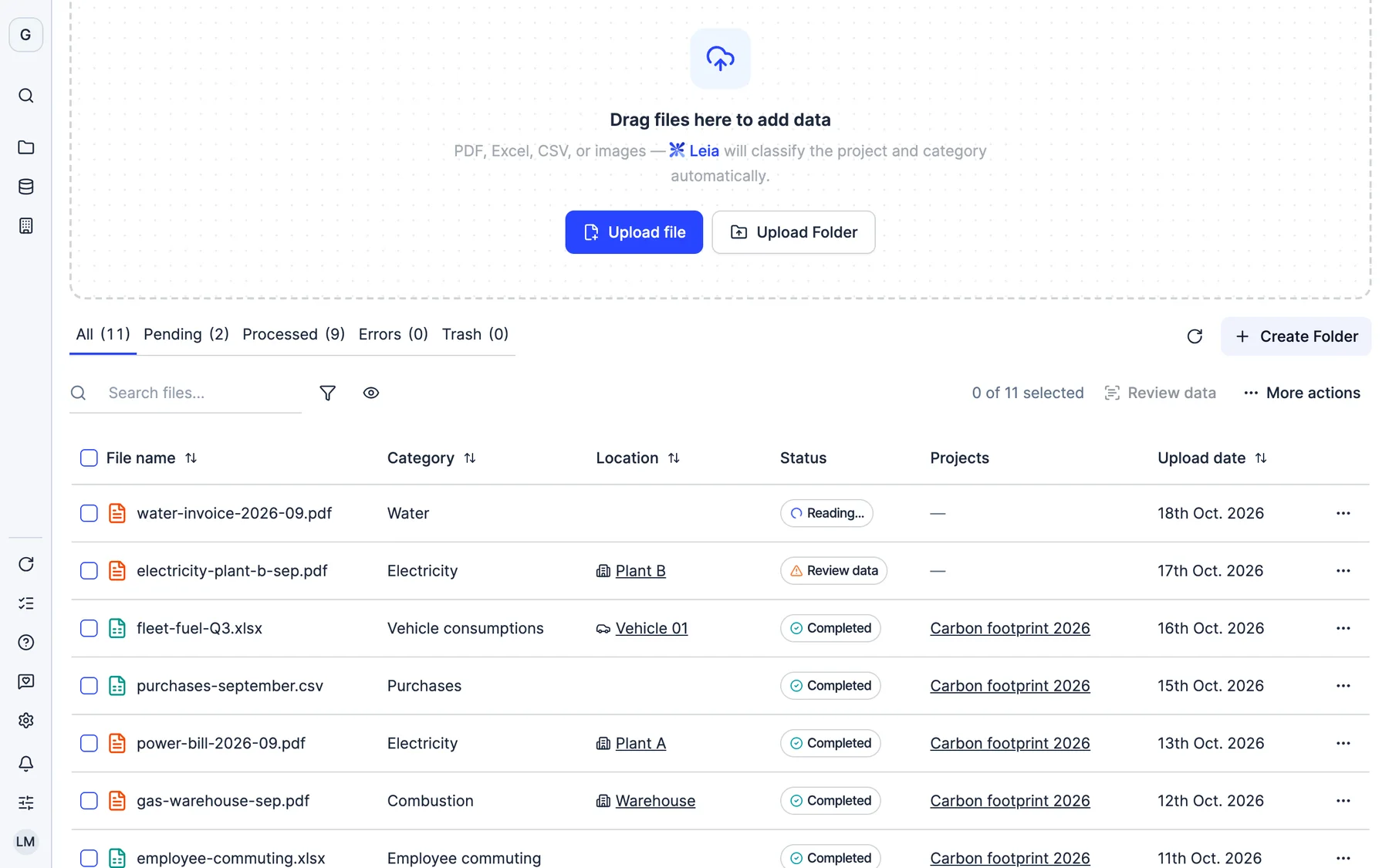
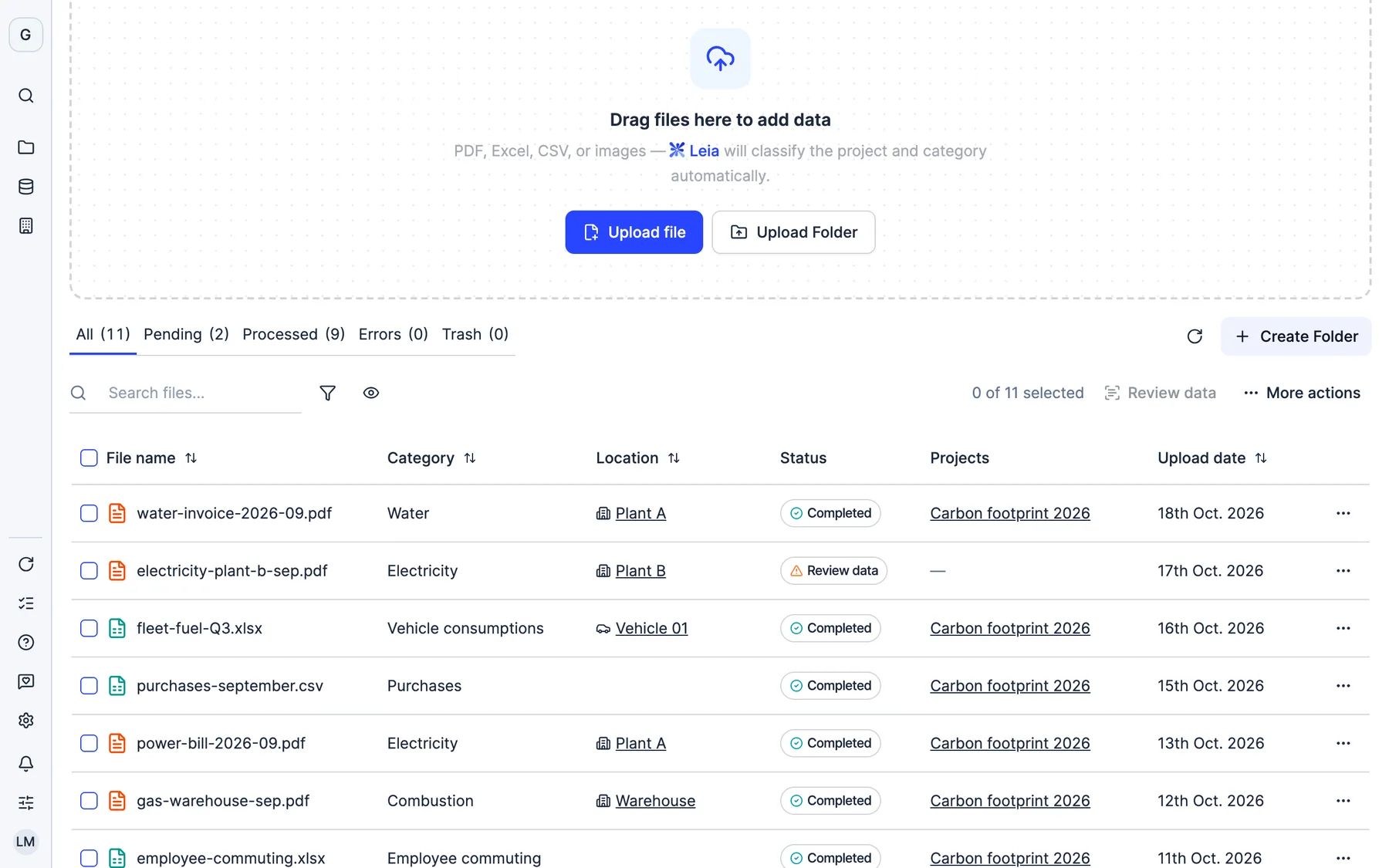
Connect your systems, forward invoices to each plant’s inbox or drag in an Excel file. Leia reads and checks it: you only review what doesn’t add up.
More than 2,000 European companies collect their data in Dcycle






Each piece of data arrives the way it already does today. Whichever route it takes, it ends up in its category, checked and ready to calculate.





What comes in through one route no longer has to be requested through another.
Forward the invoice to the facility’s address or let your energy supplier send it directly. Only senders you allow get in, and you see every email that arrived and what happened to it.
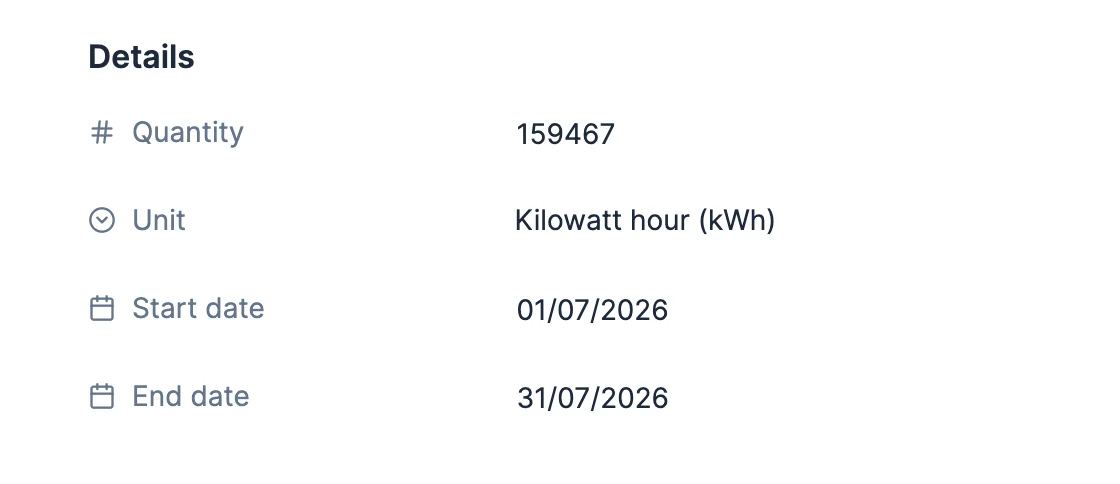
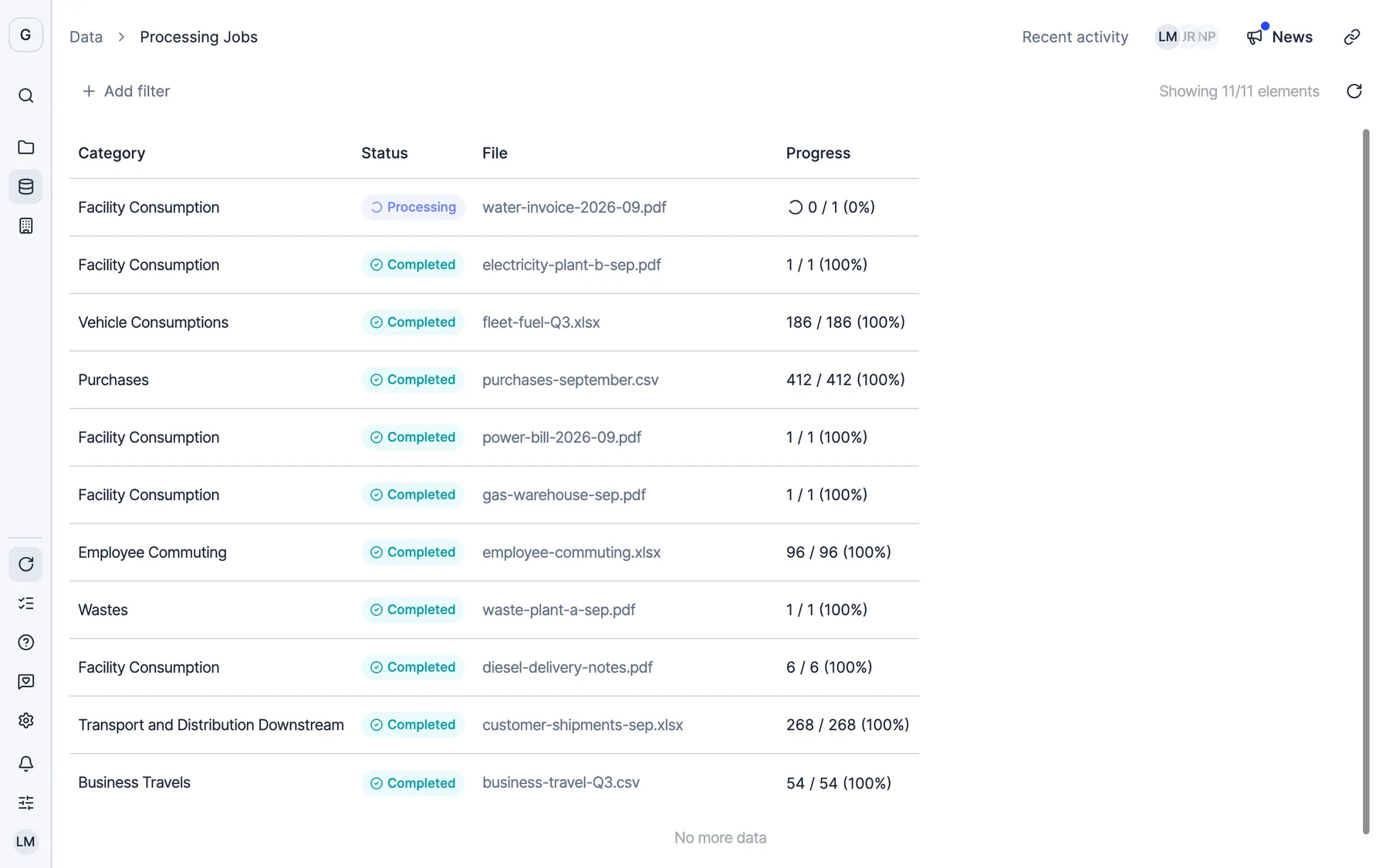
PDF, Excel or CSV: each one ends up in its category, whether it is a plant’s consumption, fleet, purchases or waste, and you see how many rows were read. On an invoice, the quantity, unit and period fill themselves in.
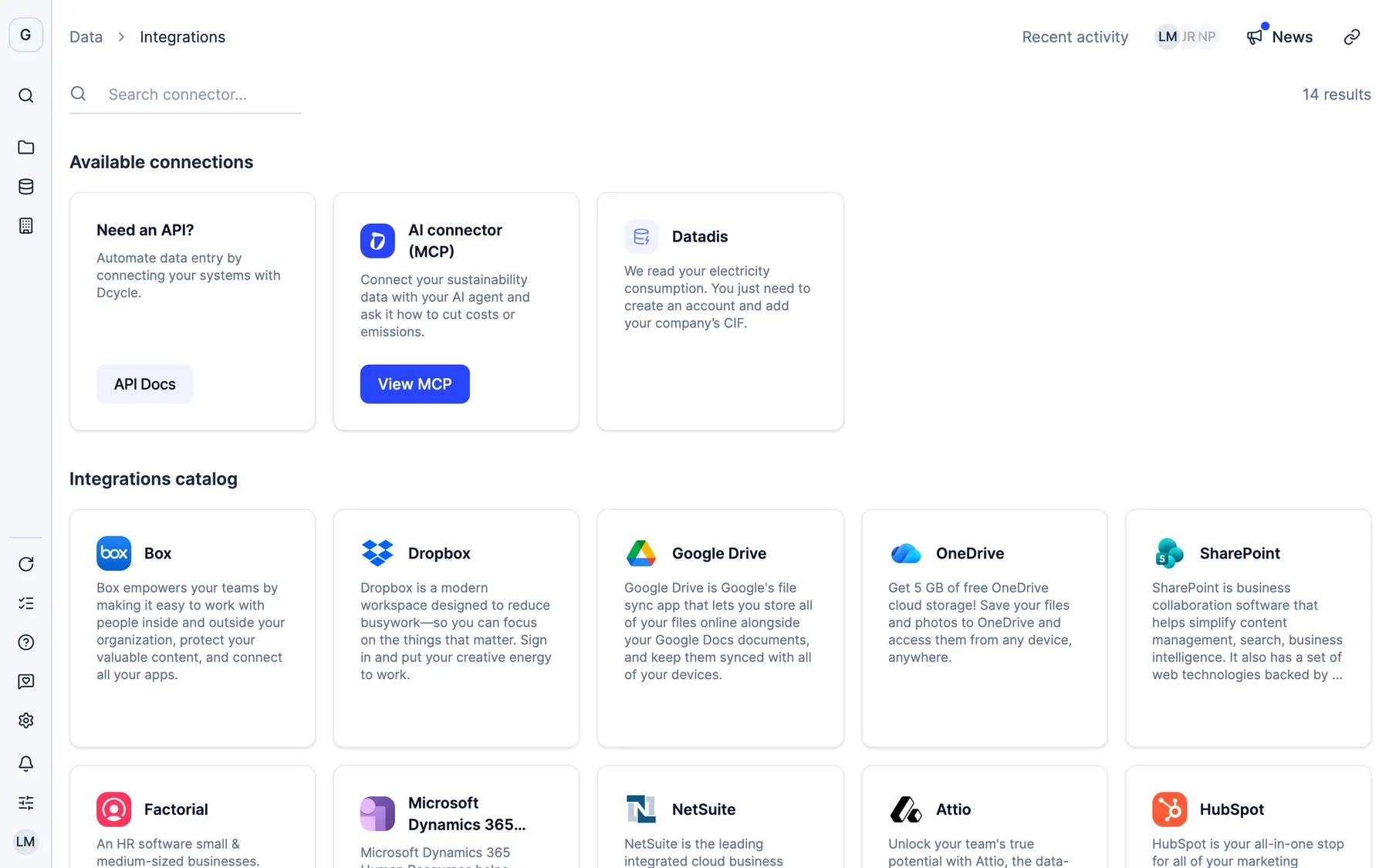
Your ERP or CRM syncs new records without anyone uploading them. Datadis brings in your electricity consumption on the 8th of every month. And for everything else, the API and the MCP server.

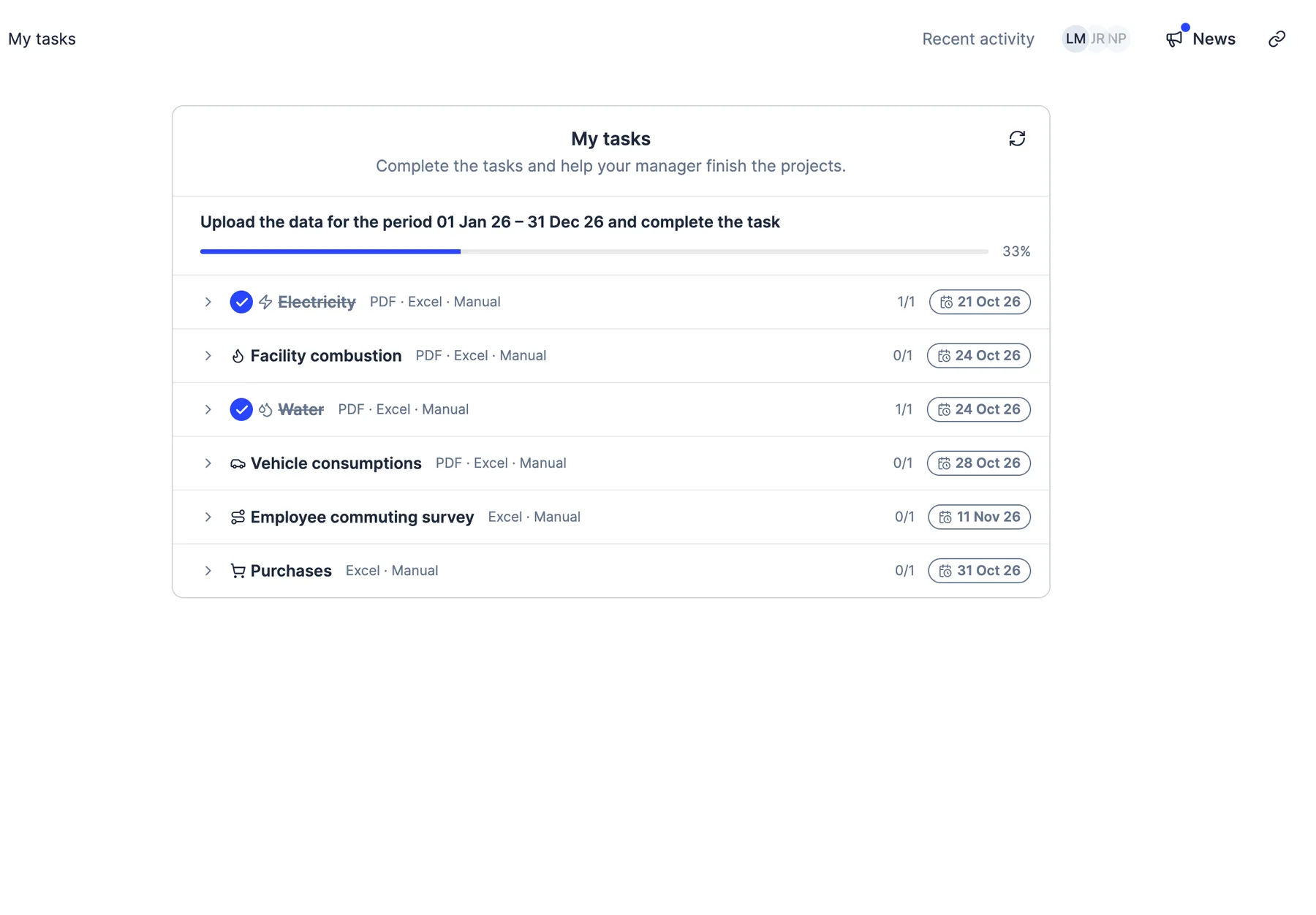
Each owner sees what they need to upload, for which period and by when. And if a facility has gone a month without data, Dcycle reminds them by email.
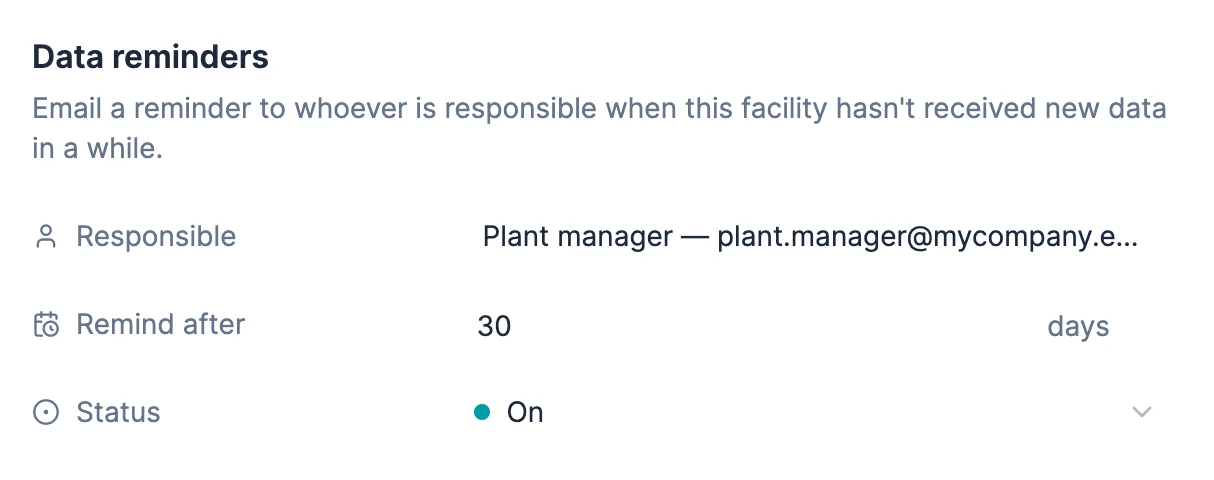
Real Dcycle screens with data from a fictional company.
Every invoice that comes in, whether from email, a folder or the ERP, goes through these checks before it counts towards your footprint or a report.
With the right emission factor and linked to its PDF. Ready for your footprint, the CSRD or the EINF (Spain’s non-financial information statement).
With the reason in plain sight and without blocking anything. The rest of your data carries on.
 Monells
 Monells cuts environmental management time by more than 100 hours and quadruples its data coverage
Read the storyYour ERP, such as SAP, Sage, NetSuite or Microsoft Dynamics, and your CRM or HR software (Salesforce, HubSpot, Attio or Factorial), with scheduled syncs; Datadis, Spain’s electricity data platform, for power consumption; cloud folders such as Google Drive, SharePoint, OneDrive, Dropbox or Box; and any in-house system through the API or the MCP server. Whatever isn’t connected comes in by email, by dragging in the file or with a bulk Excel upload.
Each facility has its own email address. Any PDF invoice that reaches that address, whether you forward it or your supplier sends it, comes into Dcycle under that facility, ready to be classified. Only the senders or domains you allow are accepted, and a log shows you every email received and what happened to it.
Leia, Dcycle’s AI, reads invoices, PDFs, Excel, CSV and images, extracts the fields that matter (supplier, period, consumption, amount, supply point) and suggests the category with its confidence level in plain sight. Every decision can be edited. She also flags month-on-month changes that deserve a look.
When reviewing an invoice, Dcycle looks for possible duplicates on several levels: the same supplier and invoice number, the same supply point with an overlapping period, or the same facility and category with overlapping dates. The warning doesn’t block anything, and invoices missing a piece of data stay under review until someone completes them.
Yes. The bulk Excel upload accepts data for the holding company and its subsidiaries in a single file for most categories: facility consumption, vehicles, business travel, employees or waste, among others. Each row is validated against its own organization.
With tasks: you assign each owner what they need to upload and by when, to one or several people. Each facility can send its owner an email reminder when it has gone days without receiving data. Employee commuting is collected with surveys in their own language, and suppliers answer in the supplier portal.
Yes. A single electricity invoice feeds your carbon footprint, your CSRD report, the EINF, your ISO certification and your EcoVadis questionnaire. Each data point stays linked to its original document, with who uploaded it, when and what changes it went through.
Thirty minutes with our team. We show you how your data would come in, and what you would get out.
See Dcycle in actionWhat your session looks like



 With someone from the team who then supports you