

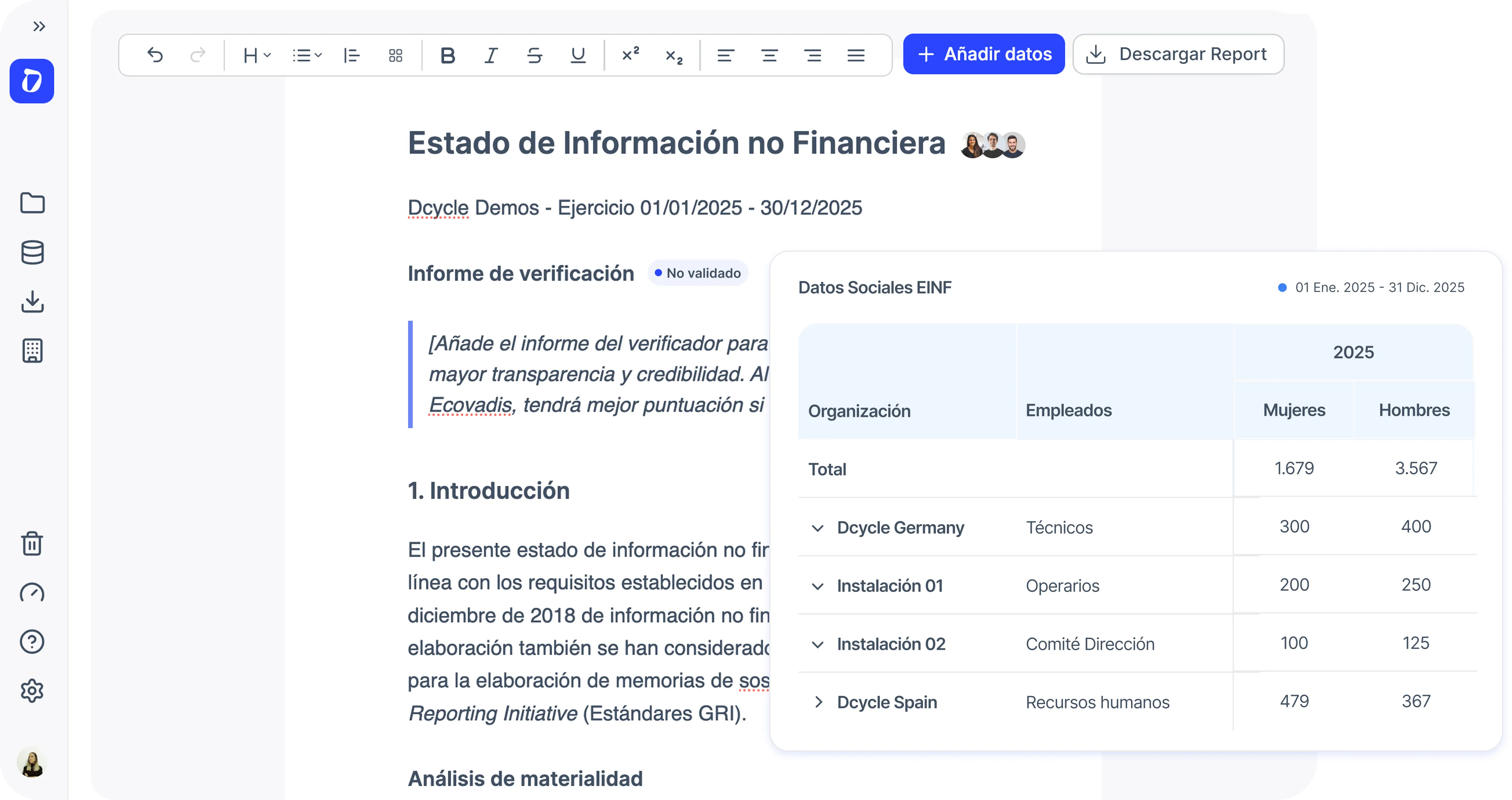
Novedades en el proyecto EINF
➡️ Las visualizaciones se muestran en el informe una vez que están vinculadas a un elemento de Datos a reportar.
➡️ En la sección Datos a reportar ahora puedes:
- Decidir qué secciones se incluyen en el informe
- Añadir respuestas de texto
- Añadir cualquier visualización del mismo proyecto
- Añadir evidencias para una futura verificación
Así puedes construir tu informe con total flexibilidad.
¿Qué conseguirás con esto?
Con esta mejora, cualquier KPI que se pueda generar en Visualizaciones del proyecto puede incluirse ahora en tus informes EINF.
Cada vez que se actualiza un dato, el resultado correcto se refleja automáticamente en el informe, sin actualizaciones manuales.
¿Dónde lo verás?
1️⃣ Primero, crea tus visualizaciones en Proyecto → Visualizaciones.
2️⃣ Después, vincúlalas a los requisitos de reporte en Proyecto → Datos a reportar y añade una respuesta de texto que explique la tabla.
3️⃣ Por último, encuentra tus respuestas en Proyecto → Informe.
Tanto al crear como al editar cualquiera de los vehículos de tu organización.
Consejo
Aprovecha las visualizaciones por defecto que se crean al configurar un nuevo proyecto EINF: son las necesarias para la verificación.
Las encontrarás al crear un nuevo proyecto, mediante el nuevo botón “Añadir plantilla” en Proyecto → Visualizaciones o desde la biblioteca de plantillas.






