

01Accidents and absences
Every accident and every absence, by employee
Each record carries the employee’s ID, whether it happened at work or while commuting, its date and the hours of leave. That gives you the frequency and severity rates.
Workforce, contracts, pay, accidents, absenteeism and training, loaded once. Dcycle calculates the pay gap, turnover or frequency rate and builds the tables for the EINF, Spain’s non-financial information statement, for you.
More than 2,000 European companies trust Dcycle






With each person’s data (gender, age, category, contract, salary, accidents and training), the “Own Workforce Tables” template in an EINF project creates the workforce tables required by Law 11/2018, already calculated. Open any block to see them.
Dcycle calculates every indicator from the underlying records, so the totals match the breakdown by gender, age, contract type or subsidiary.
Percentage difference between men’s and women’s average payLeavers ÷ headcount × 100Lost-time accidents × 1,000,000 ÷ hours workedTraining hours ÷ employees trainedEach contract counts for the time it was active in the period: 12 months, 1; 6 months, 0.5Each record carries the employee’s ID, whether it happened at work or while commuting, its date and the hours of leave. That gives you the frequency and severity rates.
Your team’s training, with its type, dates and hours, ready for average hours per employee and per job category.
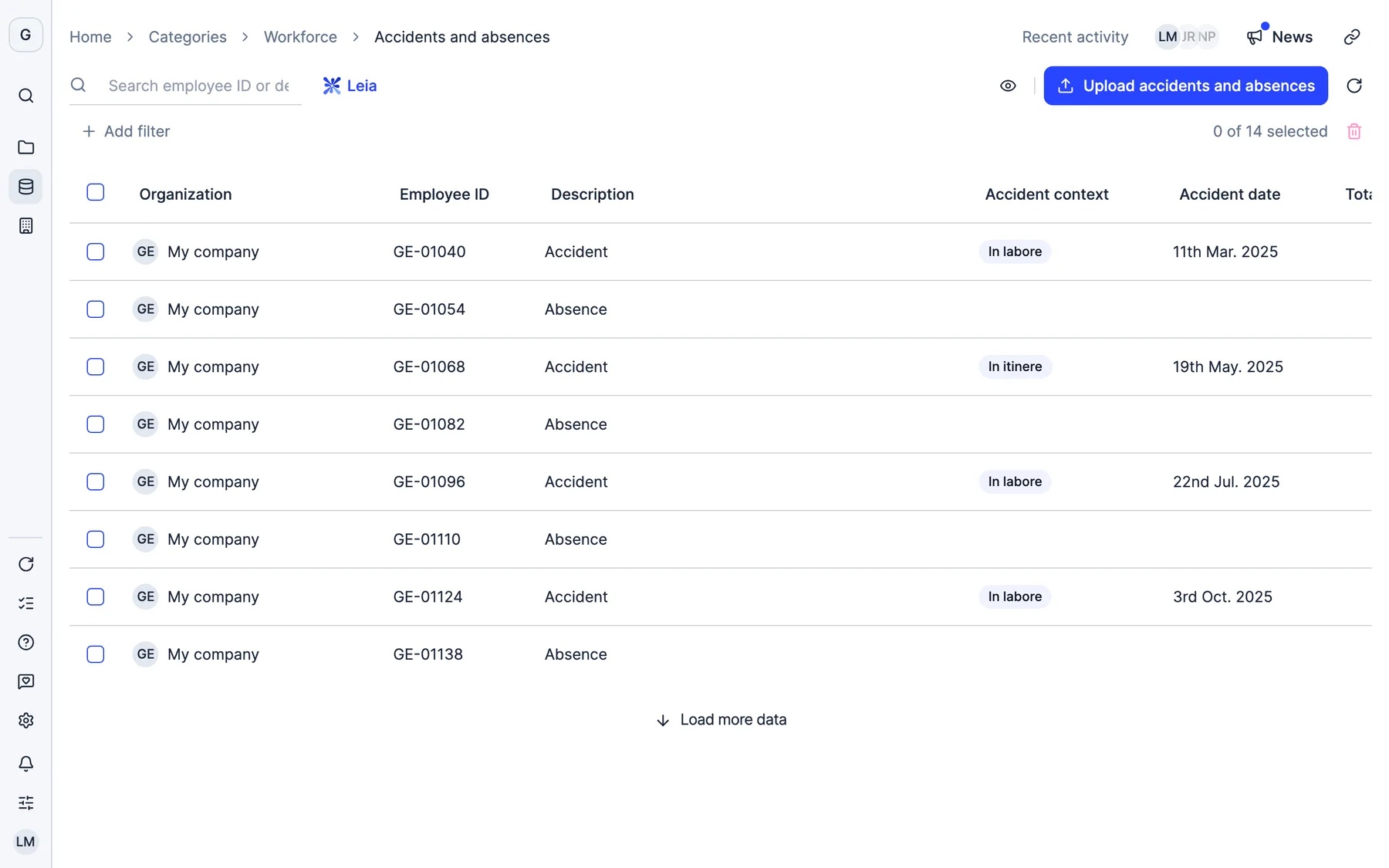
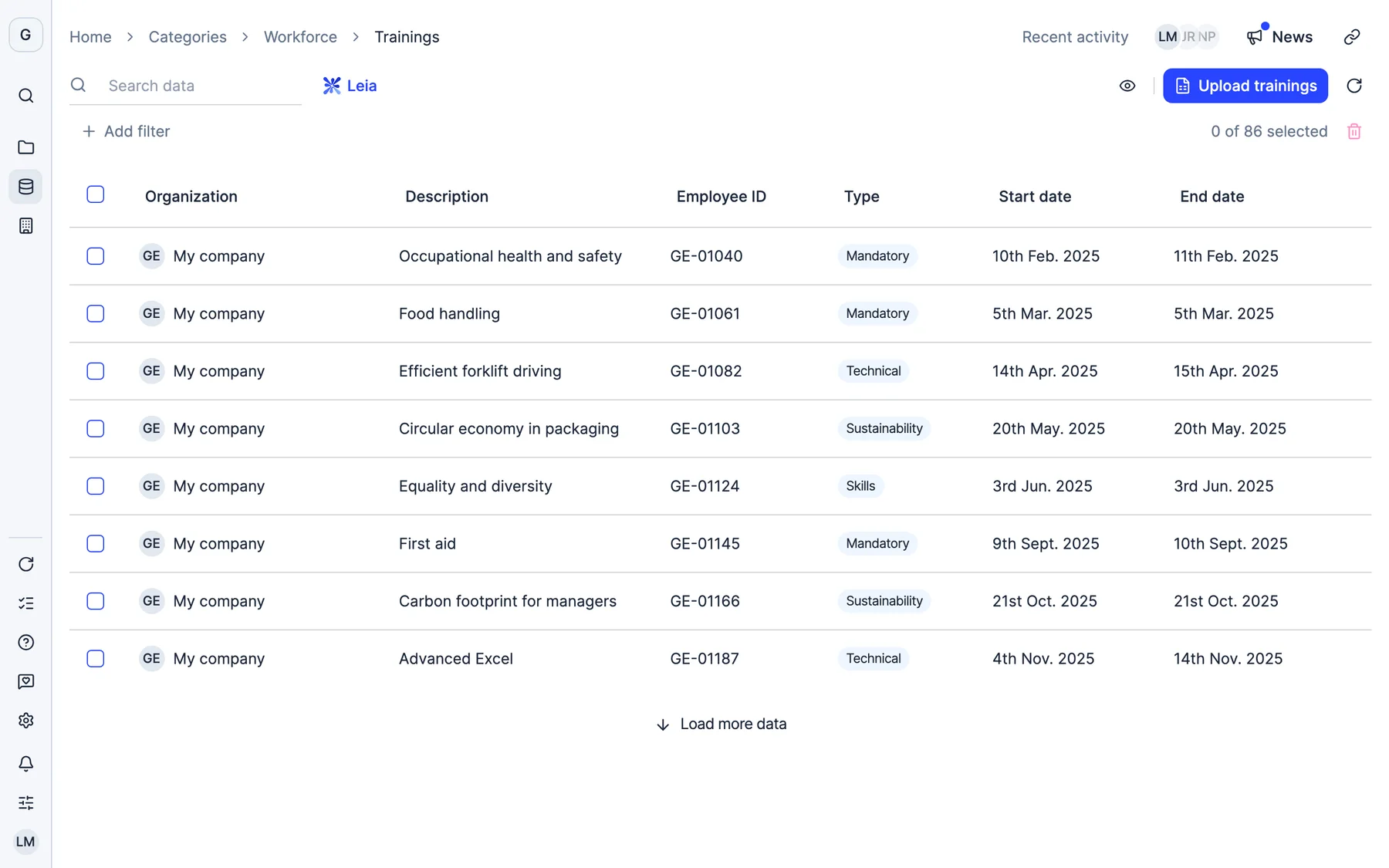
Real Dcycle screens with a sample company.
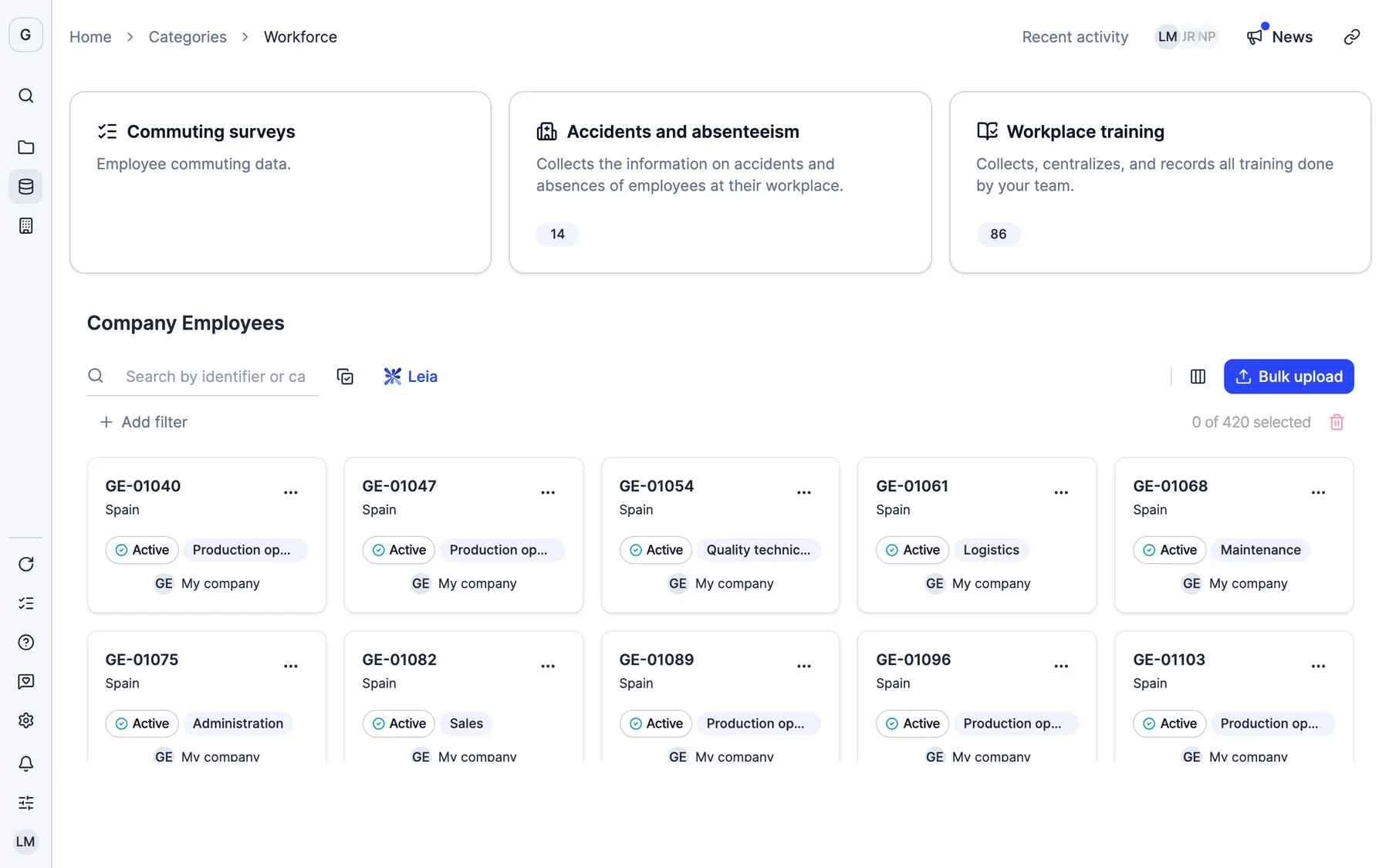
Your workforce with their contracts and pay, accidents and absences, training and employee commuting surveys.
Yes. In an EINF project, the “Own Workforce Tables” template creates all the workforce tables required by Law 11/2018 at once, already configured, and you can edit them one by one.
As the percentage difference between men’s and women’s average pay, calculated from each person’s pay rather than from table averages, so the breakdown by category matches the total.
Among others, headcount and FTE, voluntary and involuntary turnover rate, average and median pay, the ratio of the highest pay to the median, the pay gap, frequency and severity rates, occupational diseases and average training hours.
Each contract counts according to the time it was active in the period: a 12-month contract counts as 1 and a 6-month one as 0.5. That way the average number of contracts truly reflects the size of the workforce.
Yes. The parent company can load the workforce of the whole group in a single upload, and indicators support financial consolidation according to the stake in each subsidiary.
Thirty minutes with our team. We show you how your data would come in, and what you would get out.
See Dcycle in actionWhat your session looks like



 With someone from the team who then supports you