Introducing bulk upload for facility consumption data.
With this new feature, you can upload electricity, water, and fuel consumption data for multiple facilities in a single Excel or CSV file. No more entering each invoice manually.
The system includes smart validations based on each facility’s country: fuel types and measurement units are automatically validated against the emission factors available for each location (Spain or Rest of World).
How it works
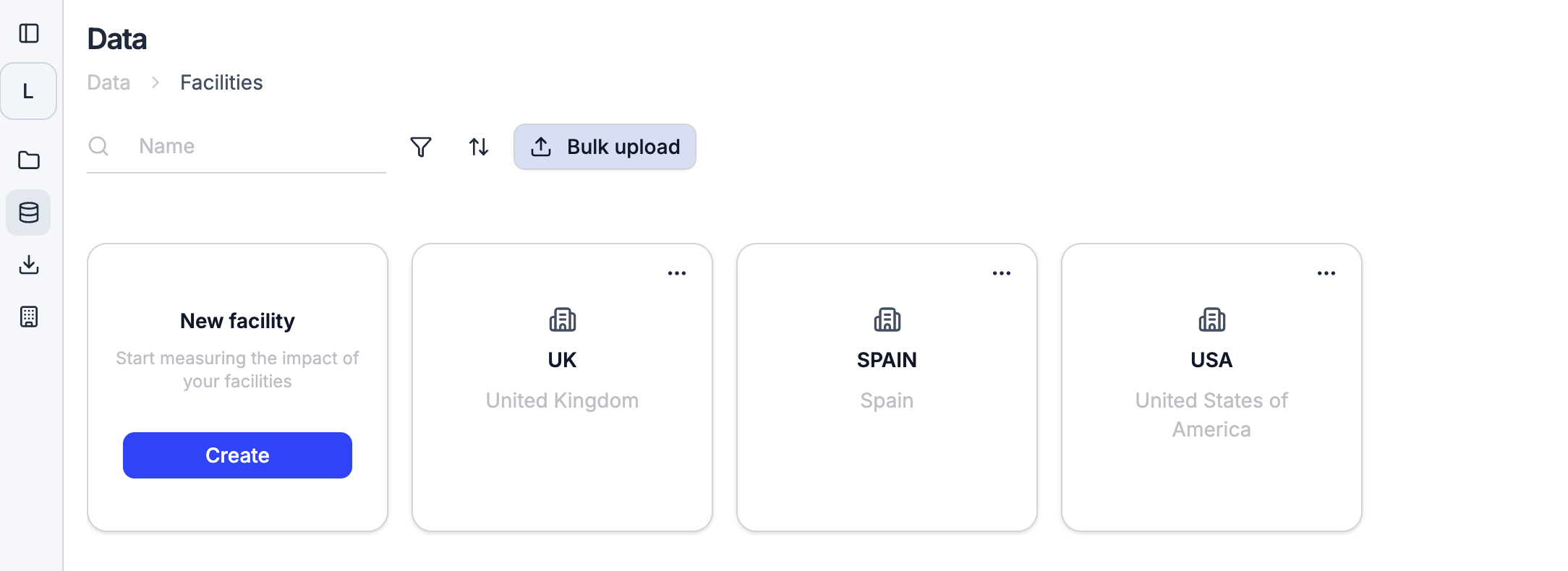
- Go to the Facilities section and click “Bulk upload”
- Download the Excel template, which includes a reference sheet listing all valid fuels and units per country
- Fill in your consumption data, specifying the facility ID, category type (electricity, water, or fuel), quantity, unit, and date range
- Upload the file and review your data before confirming the import The system will flag errors like fuels not available for a facility’s country or invalid measurement units, letting you fix them before completing the upload.
Related Articles
- Uploading data with Leia: now fully transparent
- All data is always attributed and traceable
- Bulk Logistics Data Upload: Process Thousands of Shipments in Seconds
Frequently asked questions (FAQs)
How can companies bulk-upload facility energy and fuel data for Scope 1 and 2 reporting?
Use the facility bulk-upload template to provide each site's identifier, consumption category, quantity, unit, and date range in one file. After upload, review the country-specific fuel and unit validations, correct flagged records, and confirm the import. This creates a consistent facility-level dataset for Scope 1 and Scope 2 calculations without entering every record manually.