Download emission factors in Excel

Almudena Gómez-Plata avatar Almudena Gómez-Plata · · 1 min read
Download emission factors in Excel

How it works:

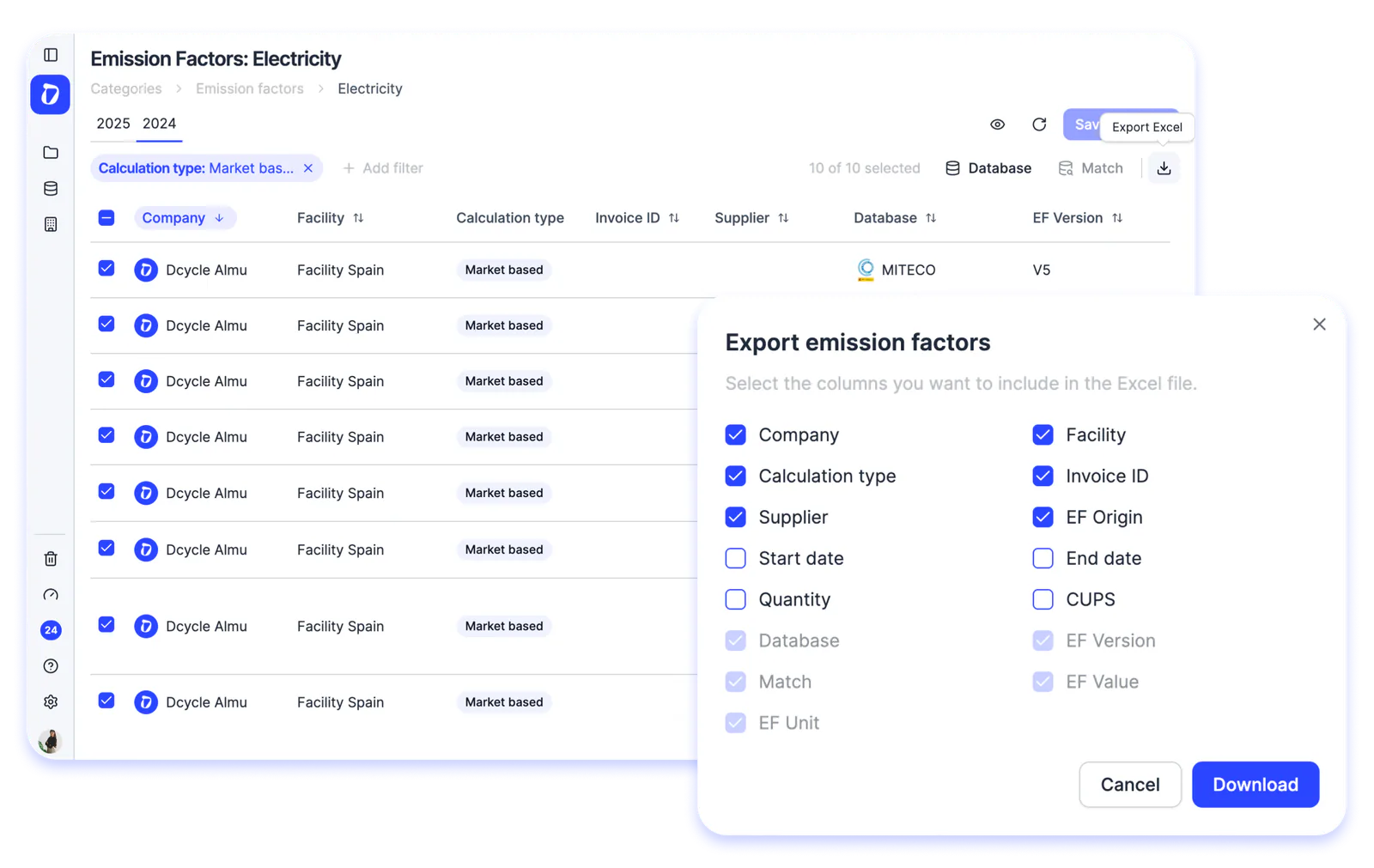
  • Go to Data → Emission Factors and open the category you need (e.g. Electricity).
  • Select the records you want to export from a given period.
  • Click the download button.
  • Before downloading, choose which additional columns you want to include in the file: company, supplier, installation, invoice ID, EF origin, dates, CUPS, and more.
  • Click Download — and you’re done!
Product UpdateEmission Factors

Need expert guidance?

Dcycle combines automation with hands-on advisory to simplify your compliance.

Talk to our team

Collect once. Use everywhere.

See how Dcycle can cut your reporting time by 70% and give your auditors what they need , the first time.

See Dcycle in action